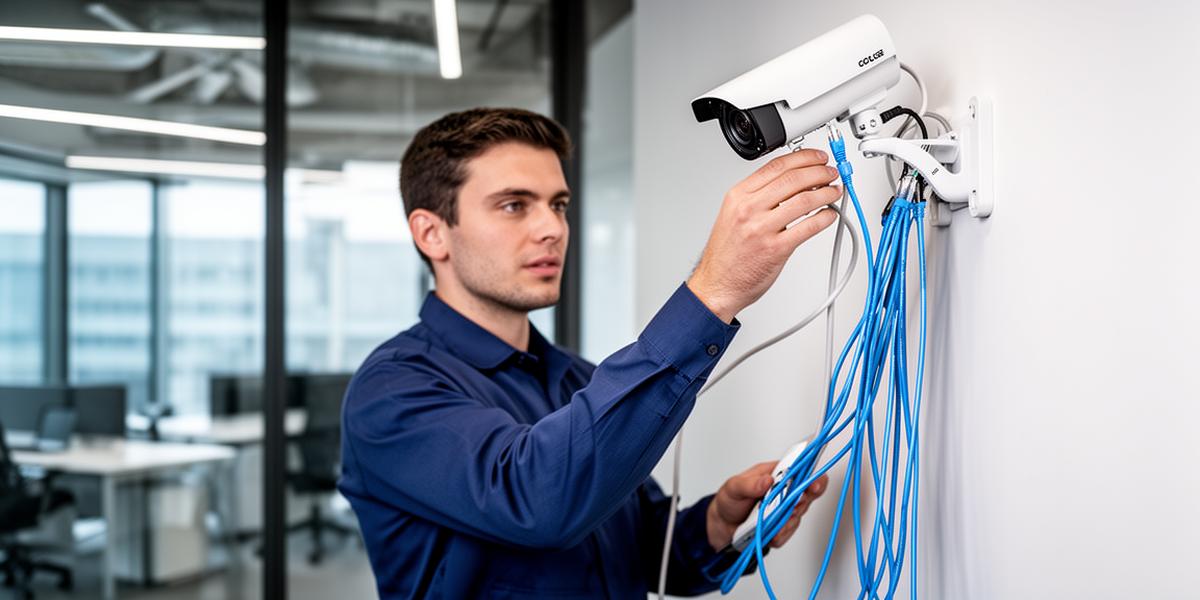
CCTV Installation for Businesses: What Companies Must Know
Installing a CCTV system is one of the most effective ways to improve business security. However, a professional CCTV installation involves far more than simply mounting cameras.
A well-designed surveillance system must consider:
- Camera placement
- Recording technology
- Network infrastructure
- Storage capacity
- Remote monitoring
Businesses also need to choose between DVR and NVR recording systems, which have different installation requirements.
In this guide we explain how CCTV installation works, the differences between DVR and NVR systems, cabling and network requirements, and best practices for commercial installations. If you're new to business surveillance, start with our complete guide to CCTV systems for businesses.
Understanding CCTV Installation
A professional CCTV installation includes several components working together.
Typical components include:
- Security cameras
- Video recorder (NVR or DVR)
- Storage drives
- Cabling and network infrastructure
- Power supply
- Monitoring software
When properly installed, these systems allow businesses to monitor operations, improve safety, and investigate incidents.
Step 1: CCTV Site Assessment
Before installing cameras, a site survey must be performed. This ensures proper camera coverage and eliminates blind spots.
During a survey, installers evaluate:
- Entrances and exits
- Parking areas
- Reception areas
- Warehouses
- Loading bays
- Cash handling areas
Camera placement is critical. Poorly placed cameras often result in unusable footage.
Step 2: Choosing the Right CCTV Recording System
Businesses must choose between two main surveillance recording technologies: DVR systems and NVR systems. The choice affects installation requirements, camera types, and overall system performance.
DVR CCTV Installation Requirements
DVR stands for Digital Video Recorder. DVR systems work with analog CCTV cameras. These systems process video footage at the recorder itself.
DVR Installation Components
- Analog cameras
- Coaxial cabling
- DVR recorder
- Power supply for each camera
- Monitor for viewing
DVR Cabling Requirements
DVR systems use coaxial cables to connect cameras to the recorder. Key characteristics:
- Each camera must connect directly to the DVR
- Coax cables transmit video only
- Power cables must run separately
Because coax cables cannot provide power, every camera requires its own power connection. This often means running one cable for video and one cable for power — making installations more complex in large buildings.
DVR Camera Limitations
- Lower video resolution
- Limited scalability
- Limited audio support
Analog cameras send raw video to the recorder where it is converted to digital footage.
NVR CCTV Installation Requirements
NVR stands for Network Video Recorder. These systems work with IP security cameras. Unlike DVR systems, IP cameras process video data internally before sending it to the recorder. For a detailed comparison, see our guide on NVR vs DVR recording systems.
NVR Installation Components
- IP cameras
- Ethernet cables (Cat5e / Cat6)
- PoE network switches
- NVR recorder
- Network infrastructure
These systems operate as part of the business network infrastructure.
Ethernet Cabling
NVR cameras typically connect using Ethernet cables. Advantages include:
- Smaller cables
- Easier installation
- Digital signal transmission
- Support for audio and video
Most modern installations use Power over Ethernet (PoE). PoE allows one Ethernet cable to transmit both power and video data to the camera. This dramatically simplifies installation.
NVR Network Requirements
Because IP cameras operate on a network, NVR systems require:
- Network switches
- IP addressing
- Router configuration
- Remote access setup
However, this architecture makes the system far more scalable. Cameras only need to connect to the network — not directly to the recorder.
DVR vs NVR Installation Comparison
| Feature | DVR Installation | NVR Installation |
|---|---|---|
| Camera Type | Analog cameras | IP cameras |
| Cable Type | Coaxial cable | Ethernet cable |
| Power | Separate power cable | Often PoE |
| Camera Connection | Direct to recorder | Network connection |
| Video Quality | Standard HD | High definition / 4K |
| Scalability | Limited | Highly scalable |
For most modern businesses, NVR systems are the preferred option because of their flexibility and higher video quality.
CCTV Camera Placement Best Practices
Professional installers follow strict camera placement guidelines to maximise coverage and footage quality.
Entrances and Exits
All entry and exit points should be monitored. This ensures clear identification of people entering or leaving the building.
Parking Areas
Parking areas are common theft locations. Outdoor cameras should monitor vehicle entrances, parking bays, and loading zones.
Warehouses and Stock Rooms
Stock theft is a major business risk. Cameras should monitor inventory storage, loading docks, and dispatch areas.
Reception and Customer Areas
Reception cameras help record interactions with visitors and customers.
For a full breakdown of camera types and which is best for each environment, see our guide on CCTV camera types for business.
Network Infrastructure for Modern CCTV Systems
Modern surveillance systems rely heavily on network infrastructure. This includes PoE switches, routers, firewalls, and internet connectivity.
A properly designed network ensures stable camera performance and remote monitoring. Businesses often integrate CCTV with access control, alarm systems, and cloud monitoring.
Remote CCTV Monitoring
Modern CCTV installations allow remote viewing from smartphones, laptops, tablets, and monitoring stations. This allows business owners to monitor their premises from anywhere.
Remote access requires:
- Secure internet connection
- Firewall configuration
- Encrypted connections
Learn more about setting up remote access in our remote CCTV monitoring guide.
Common CCTV Installation Mistakes
Many businesses experience poor results because of incorrect installations. Common mistakes include:
- Poor camera placement
- Insufficient lighting
- Inadequate storage
- Cheap cameras
- Poor network configuration
Professional installation prevents these issues and ensures long-term reliability.
Why Businesses Choose Professional CCTV Installation
Commercial CCTV installations require technical expertise. Professional installers ensure correct camera coverage, secure network setup, reliable recording systems, and scalable infrastructure.
For businesses, surveillance systems are long-term infrastructure investments. Choosing experienced installers ensures reliable performance. Managed IT services can provide ongoing support and maintenance.
CCTV as Part of Business Infrastructure
Security cameras should not operate in isolation. Modern businesses integrate CCTV with internet connectivity, network infrastructure, access control systems, and remote monitoring platforms.
Working with a technology provider ensures all systems operate together seamlessly.
Speak to a SureTel CCTV Specialist
SureTel provides professional CCTV surveillance solutions for businesses across South Africa. Our services include:
- CCTV system design
- Professional installation
- IP camera systems
- Remote monitoring
- Network infrastructure integration
If you want to improve security and visibility across your business operations, our team can help. Speak to a SureTel specialist today.