Introduction
When businesses deploy a modern Cloud PBX or VoIP phone system, one of the first decisions they must make is what devices employees will use to handle calls.
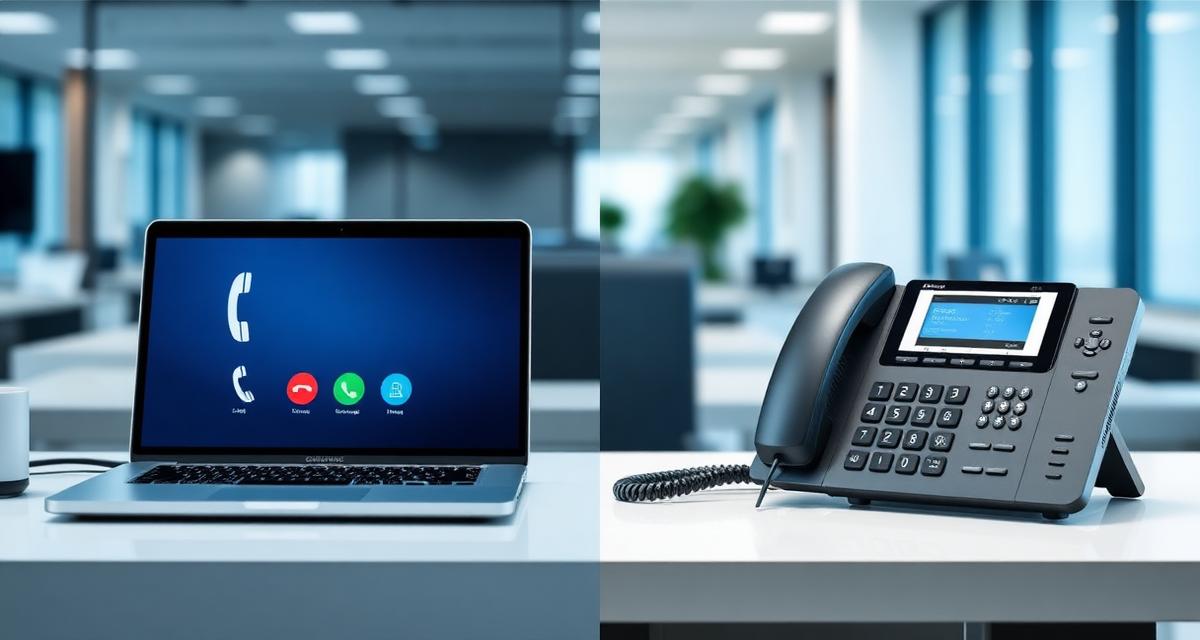
Two of the most common options are softphones and IP desk phones.
Both allow employees to make and receive business calls using internet-based communication systems, but they differ significantly in how they are used and where they are most effective.
Understanding the differences between these options helps businesses design a communication system that best suits their operational needs.
This guide explains the differences between softphones and desk phones, their advantages, and when businesses should use each option.
What Is a Softphone?
A softphone is a software application that allows a computer, smartphone, or tablet to function as a business phone.
Instead of using a physical handset, employees use an app to make and receive calls. Softphones typically run on:
- Desktop computers (Windows, macOS)
- Laptops
- Smartphones (iOS, Android)
- Tablets
Because they operate through software, softphones are commonly used in remote work environments and distributed teams.
Learn more: Cloud PBX for Remote & Hybrid Teams.
What Is an IP Desk Phone?
An IP desk phone is a physical phone device designed for VoIP communication.
These phones look similar to traditional office phones but connect to the network using an internet connection instead of a traditional phone line. Common features include:
- Dedicated handsets with ergonomic design
- Physical keypads for familiar dialling
- Programmable function buttons
- High-quality audio hardware and speakers
- Colour displays showing caller information
Desk phones are widely used in offices where employees work from fixed locations.
Softphones vs Desk Phones: Comparison
Understanding the key differences helps businesses choose the right device strategy.
| Feature | Softphone | IP Desk Phone |
|---|---|---|
| Device Type | Software application | Physical hardware device |
| Mobility | Use from any location | Fixed to desk location |
| Hardware Cost | None (runs on existing devices) | R1,500–R8,000+ per unit |
| Audio Quality | Depends on headset and connection | Dedicated HD audio hardware |
| Deployment Speed | Minutes (software download) | Requires physical setup and provisioning |
| Reliability | Depends on computer/device uptime | Independent dedicated device |
| CRM Integration | Native click-to-call support | Limited (some models support it) |
| User Experience | Modern app interface | Traditional handset experience |
| Power Requirements | Powered by host device | PoE or power adapter required |
How Softphones Work
Softphones connect to the company's Cloud PBX platform over the internet.
Once installed and configured, the softphone app registers with the PBX system and becomes an extension within the company phone network. Employees can then:
- Make outbound calls displaying the business number
- Receive inbound calls on their assigned extension
- Transfer calls to colleagues
- Access voicemail and call history
- Join conference calls
Softphones typically integrate with other business applications such as CRM systems and collaboration platforms, enabling click-to-call functionality.
How Desk Phones Work
IP desk phones also connect to the Cloud PBX platform using the company's network.
Instead of running software on a computer, the phone itself handles communication functions. Most desk phones connect via:
- Ethernet network connections
- Power over Ethernet (PoE) switches
- Wi-Fi in some models
Once configured and provisioned, the desk phone operates as a dedicated communication device for the employee.
Advantages of Softphones
Mobility
Employees can use softphones from virtually anywhere with an internet connection. This makes them ideal for remote workers, travelling employees, and hybrid teams.
Lower Hardware Costs
Because softphones run on existing devices, businesses do not need to purchase additional phone hardware — reducing upfront costs significantly.
Integration with Business Tools
Softphones often integrate with business applications such as CRM systems, collaboration platforms, and helpdesk software, enabling click-to-call and screen pops.
Easy Deployment
New users can be added quickly by installing the software and assigning an extension — no physical hardware shipment or desk setup required.
Businesses transitioning to remote or hybrid work can deploy softphones to their entire workforce in hours rather than weeks — with zero hardware shipping costs and immediate productivity.
Advantages of Desk Phones
Dedicated Communication Device
Desk phones are designed specifically for voice communication, providing a focused and distraction-free calling experience.
Superior Audio Quality
Many desk phones include high-quality audio hardware with HD voice, echo cancellation, and noise reduction designed for business communication environments.
Reliability
Because desk phones operate independently from computers, they remain available even if an employee's computer is turned off, restarting, or experiencing issues.
Familiar User Experience
Many employees — particularly in reception and call centre roles — prefer the familiar experience of using a traditional handset with physical buttons.
For softphone users who handle high call volumes, investing in a quality USB or Bluetooth headset with noise cancellation can match or exceed the audio quality of most desk phones.
When Businesses Choose Softphones
Softphones are often the preferred choice in environments where flexibility and mobility are important. Common use cases include:
- Remote work environments
- Distributed teams across multiple locations
- Mobile employees and field workers
- Temporary workstations and hot-desking setups
- Startups and businesses minimising hardware costs
Businesses adopting hybrid work models frequently rely heavily on softphones.
When Businesses Choose Desk Phones
Desk phones are commonly used in environments where employees work from fixed locations and handle high call volumes. Examples include:
- Office reception desks
- Customer support teams in dedicated offices
- Call centres with permanent agent stations
- Executive offices where reliability is critical
- Boardrooms and conference rooms
These environments often benefit from dedicated communication hardware that doesn't depend on computer uptime.
Using Both Devices Together
In many organisations, the most effective approach is to use both softphones and desk phones together.
For example:
- Office-based staff use desk phones at their desks
- Remote employees use softphones on laptops
- Managers use mobile softphone apps when travelling
- The same extension rings on both devices simultaneously
Cloud PBX systems allow businesses to support multiple device types simultaneously, with calls ringing on all registered devices for a given extension.
For multi-location device strategies, see: Cloud PBX for Multi-Office Businesses.
Choosing the Right Device Strategy
When designing a business communication system, companies should consider several factors:
- Employee work locations — Office, remote, or hybrid?
- Communication volume — High-volume callers benefit from desk phones
- Hardware budget — Softphones eliminate per-device costs
- Mobility requirements — Mobile employees need softphones
- Integration needs — CRM click-to-call favours softphones
- User preference — Some staff prefer physical handsets
A well-designed phone system supports the needs of both office and remote workers by offering both device options.
Learn more: PBX Features Every Business Should Have.
Modern Communication Platforms for Businesses
Modern Cloud PBX platforms support a wide range of communication devices, allowing businesses to create flexible communication environments.
SureTel provides Cloud PBX and VoIP communication solutions designed to support modern business communication, including both IP desk phones and softphone solutions.
Our solutions help businesses:
- Support remote and office-based teams with flexible device options
- Simplify phone system management from a central dashboard
- Scale communication infrastructure as teams grow
- Improve collaboration across distributed teams
Speak to a SureTel Specialist
If your organisation is planning to deploy a new phone system or upgrade existing communication infrastructure, SureTel can help design the right solution.
Speak to a Specialist Today