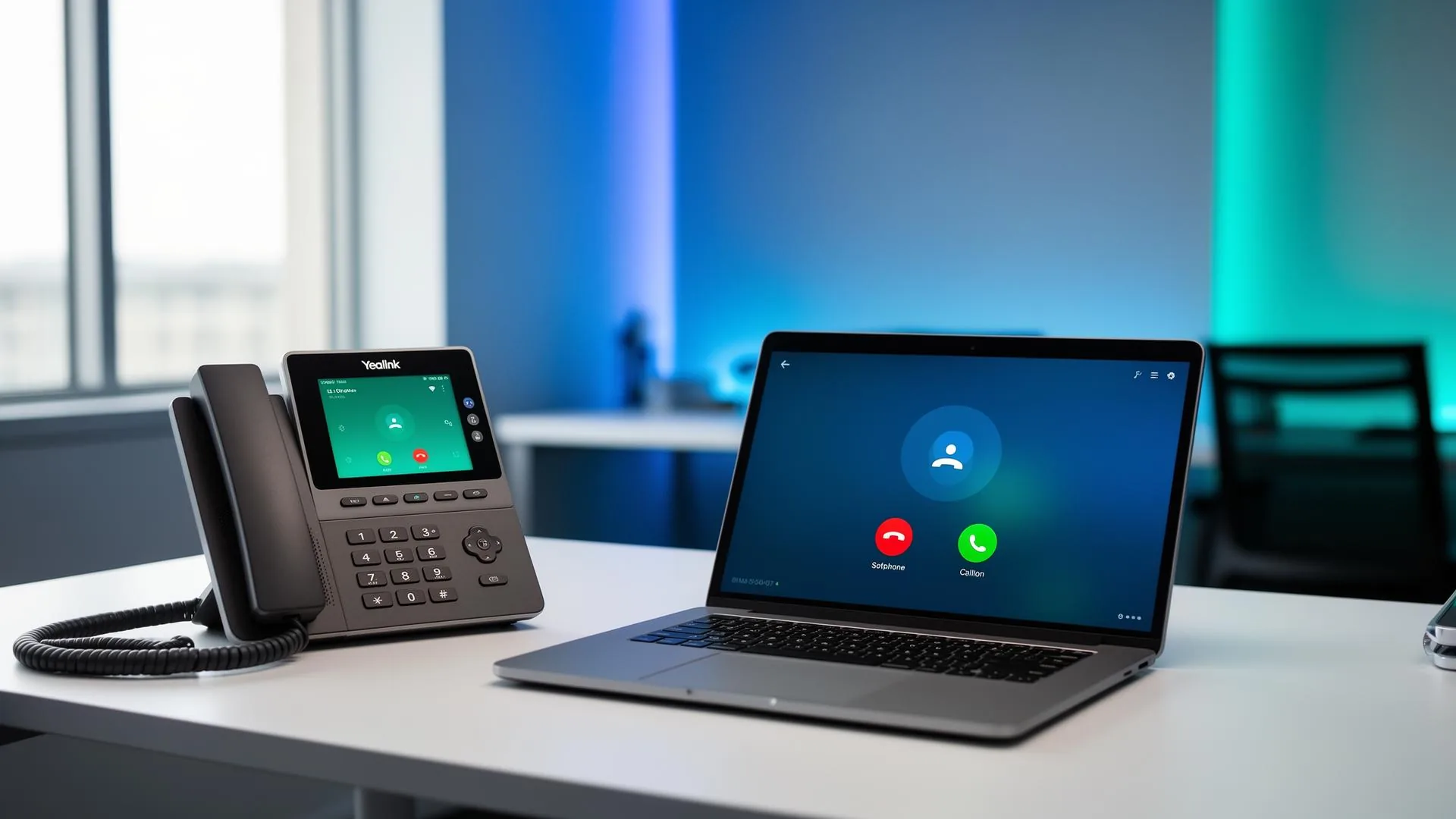
Move your business phone system to the cloud
If you are looking for PBX on cloud, you are probably trying to replace an old office phone system, support remote staff, reduce hardware headaches, or make business calling easier to manage. A Cloud PBX is simply a business phone system hosted off-site in the cloud instead of sitting as a physical PBX box in your office. Your team can make and receive calls using desk phones, desktop apps, mobile apps and supported Microsoft Teams integrations, depending on your setup.
For South African SMEs, this can be a practical way to get professional call handling without managing traditional PBX hardware. Features such as extensions, call queues, voicemail to email, IVR menus, call forwarding, reporting and call recording can help your business sound more organised and respond faster to customers.
SureTel's Cloud PBX pricing is structured per extension per month, starting from R60 per extension for 1–20 extensions and reducing at higher extension volumes. The final monthly cost depends on users, calling patterns, recording needs, integrations, hardware and connectivity requirements. This page explains how Cloud PBX works, what features are available, what affects pricing, and what to check before moving your business phone system to the cloud.
A PBX is a private branch exchange, which is the phone system that manages business calls, extensions and call routing. In older setups, this was often a physical box installed at the office. A cloud based PBX moves that phone system into hosted infrastructure, so users connect to it through the internet instead of relying on an on-site PBX.
In everyday terms, this means your business phone system can follow your team. Staff can use IP phones, which are desk phones that plug into your network, or softphones, which are calling apps on a computer or mobile device. Where requirements and licensing allow, Microsoft Teams integration can also be used so users can handle calls in a familiar collaboration environment.
This type of cloud PBX system is useful when a business wants more flexibility than a traditional office-bound phone system. It can support remote teams, multiple branches, reception call handling, departments, call queues and reporting from one platform. It is also suitable for SMEs that want professional calling features without buying and maintaining a full on-site PBX.
Cloud PBX still depends on the basics: stable internet, powered network equipment, suitable devices and correct configuration. Voice over Internet Protocol, or VoIP, is the technology that carries calls over the internet. The Cloud PBX is the complete phone system built on that technology, including call routing, extensions, voicemail, reporting and administration tools.
What Cloud PBX means in simple terms
A Cloud PBX is your business phone system hosted away from your office. Instead of buying and maintaining a large phone system on-site, your extensions, call menus, voicemail and routing rules live on a hosted platform. Your team connects using business desk phones, computer calling apps, mobile apps or supported Teams calling setups. This helps businesses add users, support branches and manage calls without being tied to one physical PBX box.
Cloud PBX vs VoIP
VoIP means Voice over Internet Protocol. In plain English, it carries phone calls over an internet connection instead of traditional telephone lines. Cloud PBX is the full business phone system that uses VoIP. It includes extensions, call queues, voicemail, IVR menus, call forwarding, reporting and administration tools. So, VoIP is the calling technology; Cloud PBX is the managed phone system your team uses every day. For a deeper comparison, see our guide to Cloud PBX phone systems.
Cloud PBX features included for everyday business calling
A good cloud PBX phone system should make daily calling easier for customers and staff. SureTel's Cloud PBX feature list includes Auto Attendant (also called IVR), call queues, ring groups, voicemail to email, call forwarding, conference calling, music on hold, extension dialling, time conditions, remote extensions, mobile applications, desktop softphones, Microsoft Teams integration, CRM integration, and reporting and analytics.
An Auto Attendant or IVR is the voice menu callers hear when they press options such as "1 for sales" or "2 for accounts". Call queues help manage busy departments by holding callers in line until someone is available. Ring groups allow multiple phones to ring together, which is helpful for reception, sales desks or support teams.
Voicemail to email sends missed voice messages to a user's inbox, making it easier to respond when staff are away from their desks. Call forwarding can redirect calls to another extension, mobile app, branch or failover route. Time conditions can route calls differently during office hours, after hours, weekends or holidays.
For hybrid teams, remote extensions, mobile applications and desktop softphones allow staff to make and receive business calls away from the office, provided they have suitable internet and powered devices. Reporting and analytics help managers see call activity, missed calls, queue performance and departmental usage. CRM integration may help with call logging and customer visibility, depending on the business system and integration requirements. For a deeper view of features to look for, see 20 essential PBX features.
Auto attendant, IVR and call queues
An auto attendant is the recorded greeting that answers calls and routes customers to the right place. IVR stands for Interactive Voice Response, which simply means callers can press menu options. Call queues are useful when several customers call at once, because calls can wait in order until the next staff member is free. These features help small teams manage higher call volumes more professionally.
Softphones, mobile apps and remote extensions
A softphone is a calling app on a laptop, desktop computer or mobile device. It lets a staff member use their business extension without needing a physical desk phone. Remote extensions are useful for sales teams, managers, branch staff and work-from-home users. They still need suitable internet access and a powered device, but they can help keep business calls moving outside the main office.
Cloud PBX pricing and extension packages
SureTel's Cloud PBX pricing is based on the number of extensions. An extension is a user or phone profile on the system, such as reception, a sales person, an accounts user, a manager or a call centre agent.
| Package | Extensions | Price per extension / month |
|---|---|---|
| Micro | 1–20 | R60 |
| Small | 21–50 | R55 |
| Medium | 51–100 | R50 |
| Large | 101–300 | R45 |
| Enterprise | 301+ | R40 |
Call recording storage is a separate monthly cost per extension, depending on the required retention period. Call recording can be useful for quality checks, training, compliance processes and dispute resolution, but the right retention period should be chosen based on business needs.
| Retention period | Price per extension / month |
|---|---|
| 1 year | R9 |
| 2 years | R17 |
| 3 years | R26 |
| 4 years | R34 |
| 5 years | R42 |
Voice calling costs also depend on call usage. Voice rates start from R0.30 per minute for local calls and from R0.30 per minute for national calls, with mobile calls carrier-dependent and per-second billing supplied. Voice minute bundles are also available:
- Voice 750 — R300 per month
- Voice 3000 — from R1,200 per month
- Voice 10000 — R4,000 per month
- Voice 30000 — custom pricing
The final monthly cost depends on the number of users, call volumes, recording retention, integrations, hardware, connectivity and any commercial terms agreed with SureTel. Contact us for a tailored quote.
What affects the final monthly cost
Your final Cloud PBX cost may include extensions, call recording storage, outbound calling, voice bundles, desk phones, headsets, connectivity, installation work and integrations. A call centre with recording and reporting needs will usually be priced differently from a five-person office.
Deployment, installation and number porting process
Moving to a cloud based PBX system is usually handled in planned steps. The process for VoIP and Cloud PBX includes requirements gathering, number porting assessment, PBX provisioning, device configuration, user setup, testing, training and handover. This is important because a phone system touches customers, sales teams, reception, accounts, support and management.
Requirements gathering should confirm how many users need extensions, which departments need call queues, whether call recording is required, which numbers must be retained, whether users need mobile apps or desk phones, and whether branches or remote workers must be included. Once the design is agreed, the PBX can be provisioned, which means the hosted phone system is set up with users, call rules and features.
A new Cloud PBX deployment can range from same day to 10 working days. Additional extensions may be added the same day. IP phone provisioning is typically 1–5 working days. These timelines can depend on user count, hardware availability, site readiness, configuration requirements and number porting complexity.
Number porting means moving existing telephone numbers to the new voice platform so customers can keep calling the same published numbers. Porting is subject to carrier timelines, required documentation, current provider processes, number type and migration complexity. The safest approach is to plan the migration, test calling before handover, and communicate any cutover timing clearly to staff.
Typical deployment timeline
A new Cloud PBX deployment can take from same day to 10 working days, while additional extensions may be added the same day. IP phone provisioning is typically 1–5 working days. These are useful planning ranges, not a guarantee for every project. The actual timeline depends on users, devices, number porting, site readiness and configuration requirements.
Keeping your existing phone numbers
Number porting is the process of moving your existing business telephone numbers to the new phone platform. This helps you upgrade your system without changing your advertised phone numbers. Porting is subject to carrier timelines, approval and required documentation. Large migrations, geographic numbers, multi-line services or incomplete information may take longer, so porting should be assessed early in the project.
Phones, softphones and hardware options
A Cloud PBX does not always require every staff member to have a desk phone. Some users may prefer physical IP phones, while others may use desktop softphones, mobile apps or supported Teams calling. The right mix depends on roles, budget, work style and call volume.
SureTel supplies and supports customer premises equipment for connectivity, VoIP, Cloud PBX, wireless and network infrastructure deployments. Supported VoIP hardware categories include Yealink IP phones, SIP desk phones, conference phones, reception consoles, expansion modules and headsets. SIP is a common standard that allows compatible phones and voice systems to connect to internet-based calling services.
For general office users, entry-level IP phones may be enough. Reception users may need a reception console or expansion module to see multiple extensions. Managers and sales staff may need phones with more call handling options. Call centre supervisors and power users may need larger displays, headset support and advanced productivity features. Conference phones can support boardrooms and meeting areas.
Network hardware also matters. VoIP call quality depends on stable connectivity, suitable routers, switches, power and correct network setup. Supported router categories include business routers, LTE backup routers, 5G routers and networking equipment such as managed switches, PoE switches, wireless access points and firewall appliances. PoE means Power over Ethernet, which lets compatible phones receive power through the network cable. Installation services include router configuration, VoIP phone provisioning, Cloud PBX deployment, structured cabling, Wi-Fi deployments and on-site commissioning where required.
Desk phones, conference phones and reception consoles
Desk phones are useful for reception, sales desks, managers and staff who handle calls all day. Conference phones suit boardrooms and meeting spaces. Reception consoles and expansion modules help front-desk teams monitor and transfer calls across multiple extensions. Final device recommendations should be matched to each user's role.
Network readiness for call quality
Cloud PBX calls travel over your internet connection, so the office network must be ready for voice. A reliable router, suitable switching, stable connectivity and backup power can all affect call quality. If the router, fibre equipment or phones lose power, office users may be affected even though the Cloud PBX platform is hosted off-site. A network assessment can help identify what must be upgraded before migration.
Connectivity, reliability and support for Cloud PBX
Cloud PBX works best when it is paired with stable, business-grade connectivity. SureTel provides connectivity options such as business fibre, FTTH, wireless internet, licensed microwave and LTE or 5G backup, subject to availability and address feasibility. Connectivity options can be combined with managed routers, failover and network monitoring where suitable.
Failover means having a backup route if the main internet connection fails. For example, a business may use fibre as the primary link and LTE or 5G as a backup. This can help maintain access to cloud services, including voice, but it should not be described as guaranteed uninterrupted service. Performance depends on the design, mobile coverage, power, equipment, provider networks and the customer agreement.
Customer support and technical support are available Monday to Friday from 08:00 to 17:00, with public holidays closed unless otherwise agreed. Monitoring systems and automated alerting operate 24/7. This means systems can be monitored around the clock, but it should not be presented as a 24/7 staffed helpdesk.
SureTel's support includes business-hours helpdesk support, technical support for VoIP, Cloud PBX and connectivity services, proactive fault detection, escalation management with service providers, incident tracking and customer communication. SLA-backed services are available where applicable, and service commitments vary by underlying service, provider, infrastructure availability and commercial agreement.
What happens during power or internet outages
The Cloud PBX platform is hosted off-site, but office users still need powered devices and working internet. If your office loses power, desk phones, routers and switches may stop unless backup power is in place. Staff may still be able to use mobile apps or remote devices from another location with suitable connectivity and power. Businesses with higher continuity needs should plan backup power and failover connectivity.
Business-hours support and 24/7 monitoring systems
Customer support and technical support operate Monday to Friday, 08:00 to 17:00, unless otherwise agreed. Monitoring systems, automated alerting and incident detection operate 24/7. In plain terms, this means service-affecting issues can be monitored continuously, while helpdesk availability follows business-hours support unless a specific agreement provides otherwise.
Cloud PBX for remote teams, branches and call centres
Cloud PBX solutions are a strong fit for businesses that need calling to work across more than one location. Cloud PBX is suitable for SMEs, corporate offices, call centres, medical practices, law firms, remote workforces and multi-branch organisations. The common need is simple: keep one business phone system while people work from offices, branches, homes or on the road.
For remote workers, mobile apps and desktop softphones can allow users to make and receive business calls using their extension, provided they have suitable internet and a powered device. This helps reduce reliance on personal mobile numbers and keeps customer calls within the business phone system.
For multi-branch businesses, a cloud PBX solution can connect different offices into one calling environment. Staff can dial extensions internally, calls can be routed to the right branch or department, and reception can transfer calls more easily. This can be useful for firms with branches in Gauteng, the Western Cape, KwaZulu-Natal, the Free State and other served regions, subject to connectivity feasibility.
For call centres and busy service teams, features such as call queues, IVR menus, call recording, reporting, CRM integration and remote agent support can help supervisors manage activity. More advanced dialler requirements may need a dedicated platform such as Hosted VICIdial. Medical practices, law firms and professional services firms may use call routing, voicemail to email and recording retention based on their service and compliance requirements.
Multiple branches on one phone system
A cloud based PBX system can help branches operate as one team. Staff in different locations can use extensions, transfer calls and follow shared routing rules. Reception can send callers to the right person or department without asking customers to redial. This is useful for businesses with offices in areas such as Sandton, Fourways, Randburg, Midrand, Centurion, Pretoria and other targeted South African regions.
Call centre and service desk use cases
For call centres and service desks, Cloud PBX can support queues, IVR menus, reporting, call recording, CRM integration and remote agents. These features can help managers understand missed calls, call volumes and team activity. The setup should be designed around the number of agents, reporting needs, recording retention, supervisor requirements and connectivity.
What to check when choosing cloud PBX providers
When comparing cloud PBX providers, avoid focusing only on the lowest monthly extension price. A phone system is a live customer-facing service, so the provider should be able to help with call quality, number porting, connectivity, devices, support and escalation when something goes wrong.
First, check whether the provider can explain the system in plain language. SMEs should understand what is included, what costs extra, how call recording is billed, how mobile apps work, what happens during outages, and what equipment is required. Ask for a clear quote that separates extensions, call recording storage, outbound calling, voice bundles, desk phones, installation and connectivity.
Second, check whether the provider understands business connectivity. Cloud PBX depends on stable internet, so fibre, wireless, LTE or 5G backup, managed routers and failover planning can matter as much as the PBX features. SureTel offers business-grade connectivity, VoIP-ready services, LTE/5G backup options, managed routers, network monitoring and escalation management with service providers, subject to service availability and agreement.
Third, check support and compliance positioning. SureTel is a licensed South African telecommunications service provider operating within the South African telecommunications regulatory framework, and is POPIA-conscious in handling customer information.
Finally, match the solution to your business model. A small office, law firm, medical practice, call centre and multi-branch company may all need different routing, recording, reporting and device setups. For a side-by-side view of cloud vs on-premise systems, read Cloud PBX vs Traditional PBX.
Questions to ask before signing
Ask how many extensions you need, which features are included, what call recording costs, how number porting works, what internet connection is recommended, what happens during power failures, and what support hours apply. Also ask whether setup, contract terms, hardware finance, installation, training and integrations are included. Clear answers upfront reduce confusion once the system is live.
Why consider SureTel
SureTel is a licensed South African telecommunications service provider offering Cloud PBX, VoIP, connectivity, supported hardware, monitoring and escalation management, with business-hours helpdesk support, 24/7 monitoring systems and service coverage across key South African business regions.
Ready to move your phone system to the cloud?
Speak to SureTel about a Cloud PBX setup for your business. The team can help assess your users, phone numbers, call routing, recording needs, devices and connectivity so you receive a practical quote based on your environment. If you have branches, remote staff or call centre requirements, include those details when requesting pricing.
Request a Cloud PBX quote or learn more about our Cloud PBX service.